5 Portable Projectors for Movie Nights & Presentations Under ₱5,000
Turn any blank wall into a home theater or boardroom — without breaking ₱5,000 on Shopee PH
The catch with budget projectors is that spec sheets lie more than usual in this category. "4K support" almost never means native 4K resolution — it just means the chip can decode a 4K file and downscale it. And lumens ratings on cheap units are notoriously inflated; a projector claiming 15,000 lumens is not outperforming a real 300-lumen unit, it's just marketing math. We picked five that are honest about what they actually are, checked what's realistic to expect from each at this price, and priced them all under ₱5,000 on Shopee PH.
1. GOOJODOQ Portable Projector with Bluetooth Speaker (720P)
Budget Pick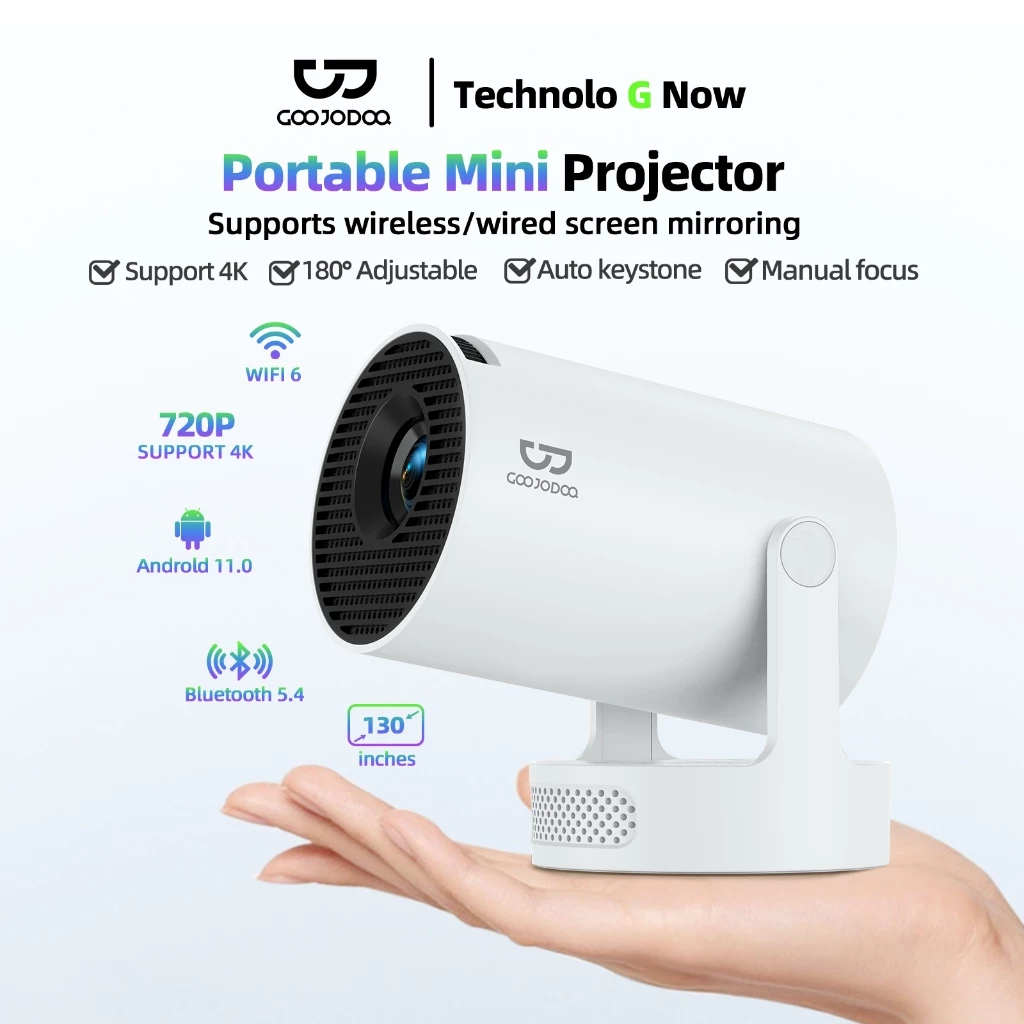
This is the "keep it simple" option in the lineup. There's no Android OS, no built-in apps, no WiFi casting — you plug in via HDMI from a laptop, TV stick, or game console, or connect audio over Bluetooth to the built-in speaker. If you already have a Chromecast or Fire Stick lying around, or you're mirroring from a work laptop for a presentation, that's genuinely not a downside — it's one less thing that can lag or disconnect mid-movie.
The 110-inch max screen size and 180° adjustable angle make it flexible for both a ceiling-mount "lying in bed" setup and a standard tabletop throw. Just don't expect 1080p sharpness — 720P on a projector this size is fine for movie night from a normal couch distance, but text-heavy slides can look a little soft up close.
| Resolution | 720P native |
| Connectivity | HDMI, USB, Bluetooth (audio only) |
| Screen Size | Up to 110 inches |
| Adjustment | 180° adjustable angle |
| Smart Features | None — external device required (TV stick, laptop, phone via HDMI/casting dongle) |
- Cheapest option in this lineup
- No smart OS to lag, freeze, or need updates
- Built-in Bluetooth speaker is a nice bonus at this price
- No WiFi casting — needs HDMI or a separate streaming stick
- 720P will look soft for detailed presentation text
2. Pokitter L1 Go SE Portable Smart Projector
⭐ Best Overall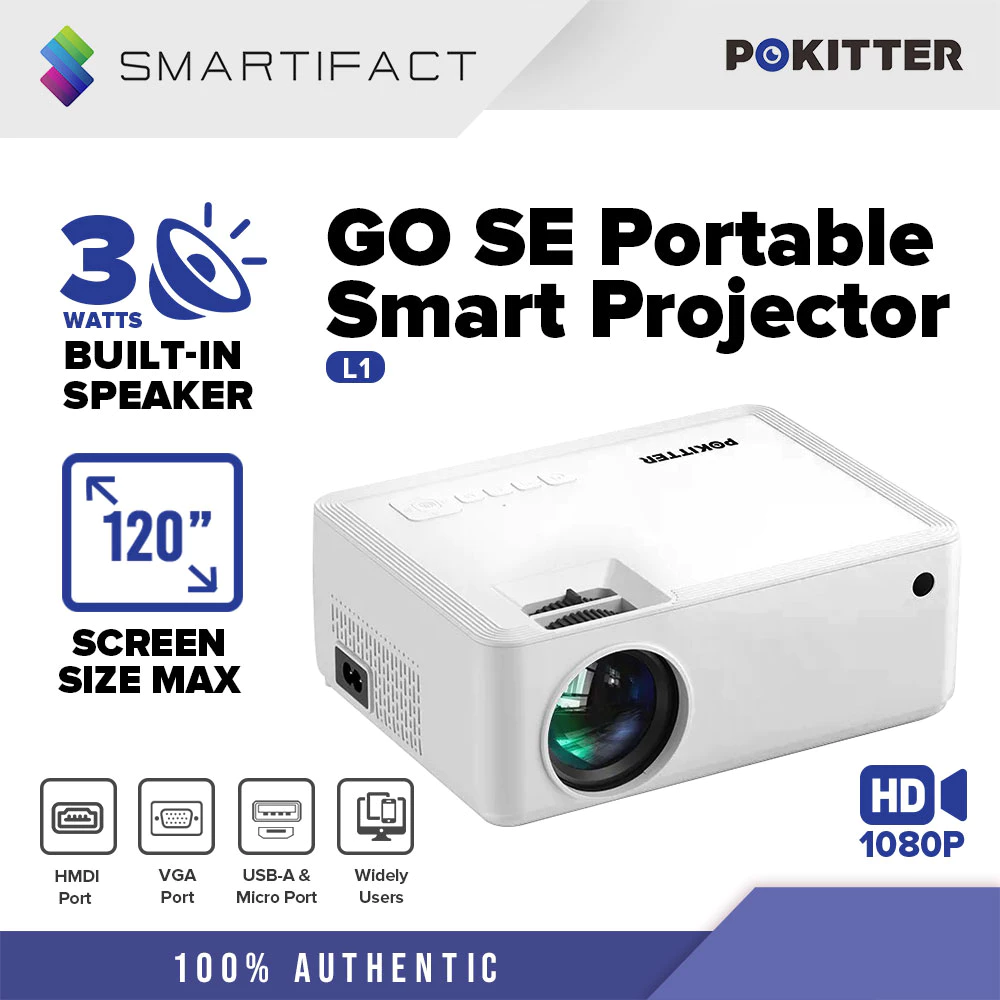
Pokitter has quietly become one of the more trusted budget projector brands on Shopee PH, and the L1 Go SE is a good example why — it's genuinely 1080p (not just "4K support" marketing), has a real 3W built-in speaker that's loud enough for a small sala without external audio, and supports wireless screen casting so you can mirror straight from your phone.
This is the one we'd point most people toward if they just want "the good one" without overthinking the category. It's light enough to move between rooms and doesn't require a separate streaming device to get content onto the big screen.
| Resolution | 1080P |
| Audio | 3W built-in speaker |
| Connectivity | Wireless screen casting, HDMI, USB |
| Weight | ~1.1 kg |
| Best For | All-around movie nights + casual presentations |
- True 1080p, not just "supported" 1080p
- Wireless casting works without extra hardware
- Lightweight and easy to move room to room
- Highest price in the lineup
- Built-in speaker is fine for a small room, not a substitute for a real soundbar
3. Vision P10 Global Mini Android Projector
🆕 Smart Pick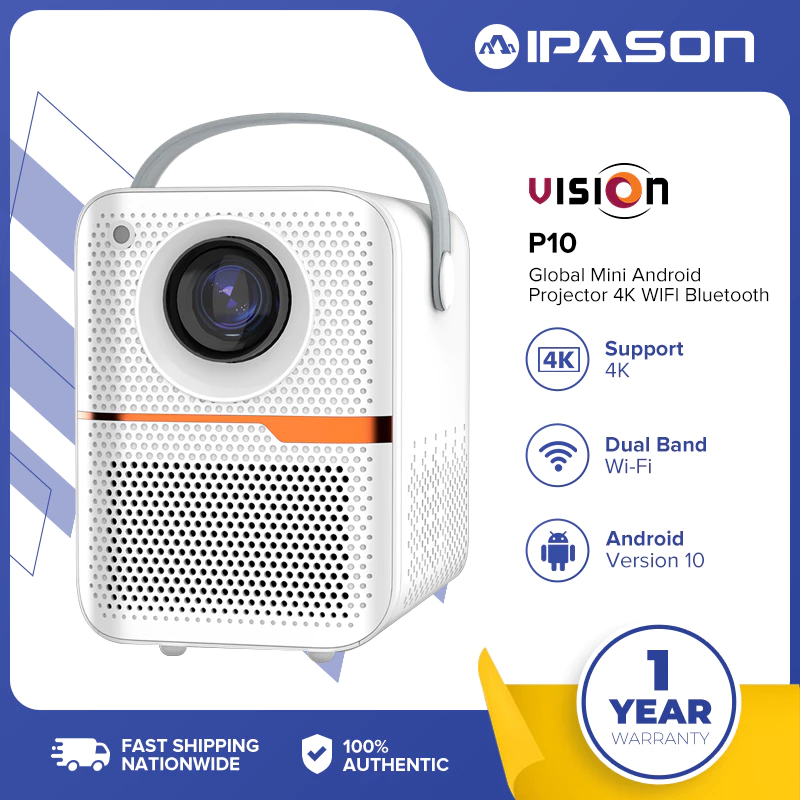
If you want a projector that acts like a smart TV out of the box, this is the cheapest way there. It runs Android 10 with 64GB of storage, meaning you can install Netflix, YouTube, or local streaming apps directly — no phone mirroring, no separate stick, no cables. The motorized focus is also a genuinely nice touch at this price; most budget units make you twist a manual ring until the image looks right.
Just don't expect the "4K" in the name to mean actual 4K output — like most projectors in this range, native resolution is 1080p, and the unit decodes 4K files down to that. It's still a sharp image for the price, just manage expectations on the marketing.
| Resolution | 1080P native (4K decode support) |
| OS | Android 10, 64GB storage |
| Connectivity | WiFi, Bluetooth, HDMI |
| Focus | Motorized (electric) focus |
| Best For | Streaming apps without a separate device |
- Built-in streaming apps — no extra device needed
- Motorized focus is rare at this price point
- Cheapest of the Android/smart options here
- "4K" in the name is decode support, not native resolution
- Android smart projectors can feel sluggish navigating menus compared to a real TV box
4. MONOZ Projector HD (A10)
Connectivity Pick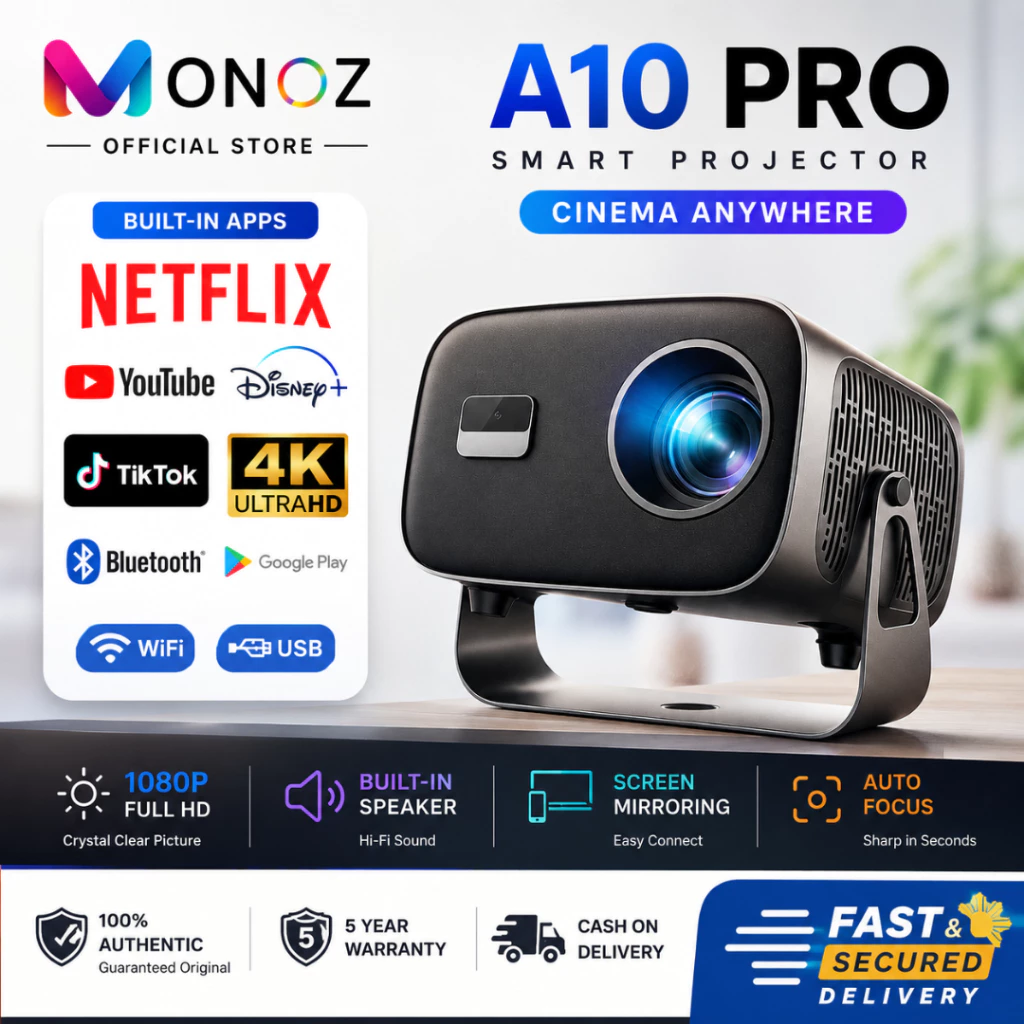
This is the cheapest way into WiFi 6 and Bluetooth 5.0 in this category — most budget projectors are still running older WiFi standards, which matters more than people expect in a Filipino household where several devices are usually fighting for bandwidth on the same router. The 360° rotation stand is also handy if you're setting it up on an uneven table or want to bounce the image off a ceiling for lying-down movie nights.
At ₱3,399 it's the second-cheapest option here, and honestly punches above its price for anyone whose home WiFi setup tends to struggle with older devices.
| Resolution | 1080P (4K UHD support) |
| Connectivity | Dual-band WiFi 6.0, Bluetooth 5.0 |
| OS | Android 11 |
| Mount | 360° rotation stand |
| Best For | Homes with congested/older WiFi setups |
- Newer WiFi 6 standard — more stable streaming
- 360° rotation for flexible placement
- Very competitive price for Android 11
- Brightness specs (like most in this category) should be verified against real buyer photos, not the spec sheet alone
5. XGODY Gimbal A5 Smart Projector
⭐ Premium Pick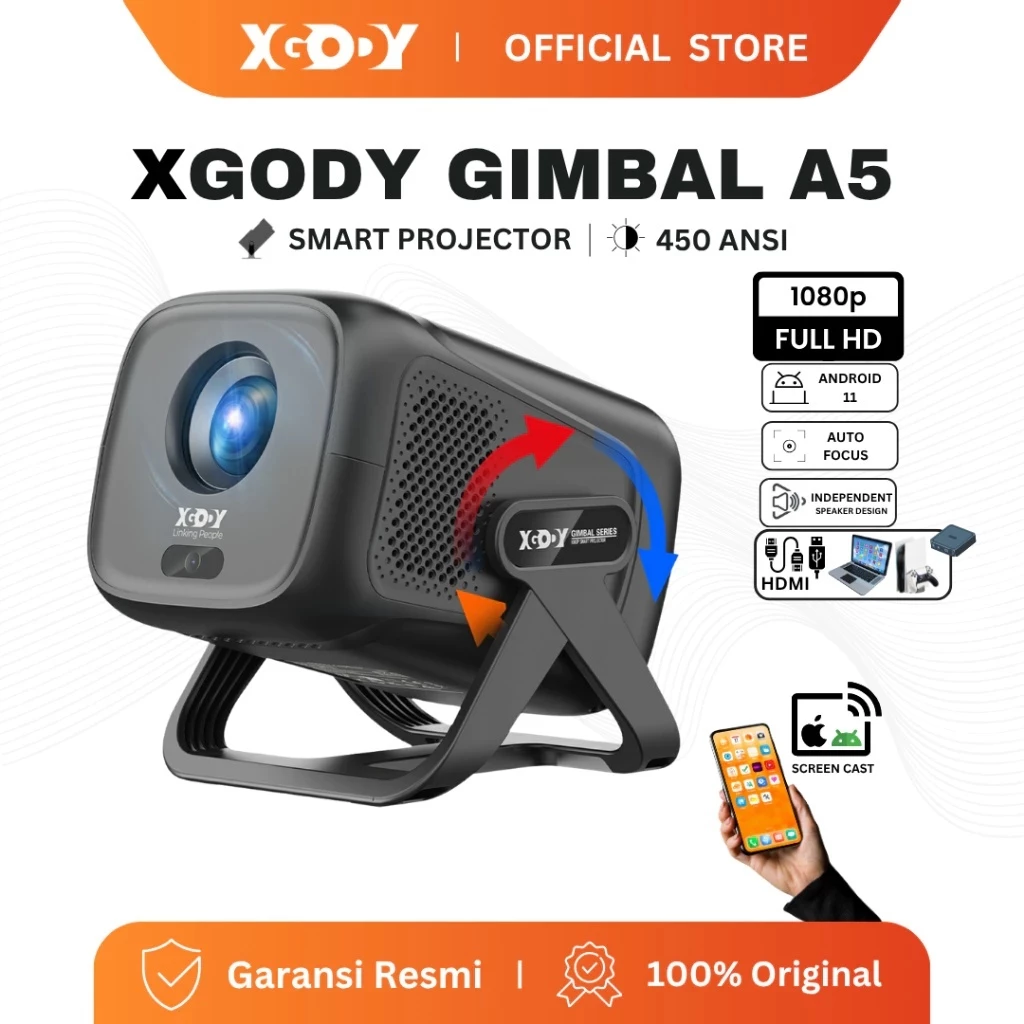
This is the newest projector in the lineup — running Android 14, which most budget projectors on Shopee PH still haven't caught up to. XGODY also rates this one at 450 ANSI lumens, which is a real (not inflated) brightness figure and is genuinely one of the brighter honest specs we found under ₱5,000. Combined with dual-band WiFi 6 and Bluetooth 5.4, it's built to still feel current a couple of years from now, not just on day one.
It's the most expensive pick here, right at the edge of the ₱5,000 budget, but if you want the newest software and the most legitimately bright image in this roundup, this is where that ₱1,000+ premium over the cheapest option actually goes toward something real.
| Resolution | Native 1080P (4K support) |
| Brightness | 450 ANSI lumens (real-world rated) |
| OS | Android 14 |
| Connectivity | Dual-band WiFi 6, Bluetooth 5.4 |
| Best For | Best real brightness + newest software |
- Real 450 ANSI lumens — one of the honestly brighter units at this price
- Android 14 means longer software relevance
- Latest WiFi/Bluetooth standards
- Most expensive pick, right at the ₱5,000 ceiling
Quick Comparison
How to Choose a Budget Projector
- Ignore the lumens arms race. Any budget projector claiming 10,000+ lumens is using a marketing number, not a measured one. A real 300–450 ANSI lumens rating (like the XGODY here) will actually outperform a "20,000 lumen" unit in a real room.
- "4K support" ≠ native 4K. Every projector on this list is native 720P or 1080P. 4K "support" just means it can decode a 4K file and scale it down — that's normal at this price, just don't expect 4K sharpness.
- Decide if you need a smart OS. If you already own a Fire Stick, Chromecast, or a laptop you're happy to plug in, a non-smart projector like the GOOJODOQ is one less thing to update or troubleshoot. If you want it to work standalone, go Android.
- Room darkness matters more than the spec sheet. If you're mostly watching after dark with curtains closed, even the cheapest pick here will look great. Daytime or partially-lit rooms are where real brightness (like the XGODY's 450 ANSI) actually shows.
- Check the throw distance before buying a screen. Most of these projectors need 1–2 meters of distance for a usable image size — measure your room (or your intended condo wall) before ordering a separate projector screen.
Frequently Asked Questions
Budget LED projectors run relatively cool compared to older lamp-based projectors, so they're generally fine for typical Philippine indoor use. Just avoid leaving one in a hot car or direct sunlight, and give it a few minutes to vent after long use — condensation on the lens after moving between an air-conditioned room and humid outdoor air is the more common issue than the heat itself.
Not ideally — none of these are true daytime projectors. The XGODY Gimbal A5 (450 ANSI lumens) will hold up best in a partially lit room, but for the sharpest image with any of these five, you'll still want to dim the lights or use blackout curtains.
A plain, light-colored wall works fine for casual movie nights. If you want noticeably better color and contrast, a proper projector screen (or even a wrinkle-free white bedsheet) helps — textured or painted walls can wash out fine detail.
Yes, for small meeting rooms or client pitches — the Android options (Vision P10, MONOZ A10, XGODY Gimbal A5) can run presentation apps directly or mirror from a laptop over WiFi. For text-heavy slides, prioritize the 1080p units over the 720P GOOJODOQ, since fine text is where lower resolution shows the most.
This varies by seller, so always check the specific store's return/warranty policy before buying — Shopee Mall and official brand stores generally offer clearer warranty terms than third-party resellers. Since these are budget electronics, it's also worth testing the unit thoroughly within Shopee's standard return window rather than waiting weeks to notice an issue.
Final Thoughts
None of these five will replace a proper home theater setup, and that's fine — that's not what a ₱3,000–5,000 projector is for. What they're genuinely good at is turning a random Friday night or an ordinary meeting room into something a little more memorable, without the buyer's remorse of a five-figure purchase.
If you just want something that works without fuss, go with the Pokitter L1 Go SE. If budget is the main concern and you already own a streaming stick, the GOOJODOQ is hard to beat at ₱3,668. And if you want the newest software with genuinely honest brightness numbers, the XGODY Gimbal A5 is worth the extra peso.
As always — prices shift on Shopee, so double-check the current listing before you buy, and stack any ongoing Shopee voucher promos for extra savings.


Comments
Post a Comment